How to Use the Betwinner App in Bangladesh: Download, Install & Bet on Mobile
How to use the Betwinner app is a practical question for any Bangladeshi player who prefers managing bets, deposits, and casino games from a smartphone. The mobile application provides access to the same account, odds, and payment methods available on the desktop version — but optimised for smaller screens and mobile network conditions. The app is available for Android via direct APK download and for iOS through the mobile browser interface or a regional App Store build.
This guide covers the complete process from download to placing a first bet: system requirements, APK installation on Android, iPhone access, first login, key in-app features, deposits via bKash and Nagad, push notifications, and a troubleshooting section for the most common issues Bangladeshi users encounter. Each section focuses on the specific steps and technical conditions that apply to the app environment, rather than repeating information relevant only to the desktop site.
Why Use the App vs Mobile Site
The Betwinner mobile browser version and the dedicated app run on the same backend, but differ in performance, features, and installation requirements. The table below covers the key practical differences.
| Parameter | App (APK / PWA) | Mobile Browser |
| Load speed (repeat visits) | Faster — assets cached locally | Full reload each visit |
| Push notifications | Yes | No |
| Biometric login | Yes (Android) | No |
| Installation required | Yes | No |
| iOS support | PWA or regional App Store | Full support via Safari |
| Performance on 3G | Better | Slower on navigation |
For regular use, the app is the more practical option. The mobile site remains the better choice for iOS users who prefer not to install anything, or for one-off access from a device you do not own.
System Requirements
Before starting the Betwinner app download, verify that your device meets the minimum technical specifications. Installing on an incompatible device may result in crashes, display errors, or missing features.
For Android:
- Operating system: Android 5.0 (Lollipop) or higher
- RAM: minimum 1 GB (2 GB recommended for live casino and Aviator)
- Storage: approximately 40–60 MB free space for the APK and cache
- Internet: stable 3G connection minimum; 4G or Wi-Fi recommended for live betting
For iPhone / iOS:
- iOS 12.0 or higher
- Compatible with iPhone 6S and newer models
- Safari browser recommended for mobile web access
How to Download the Betwinner APK on Android
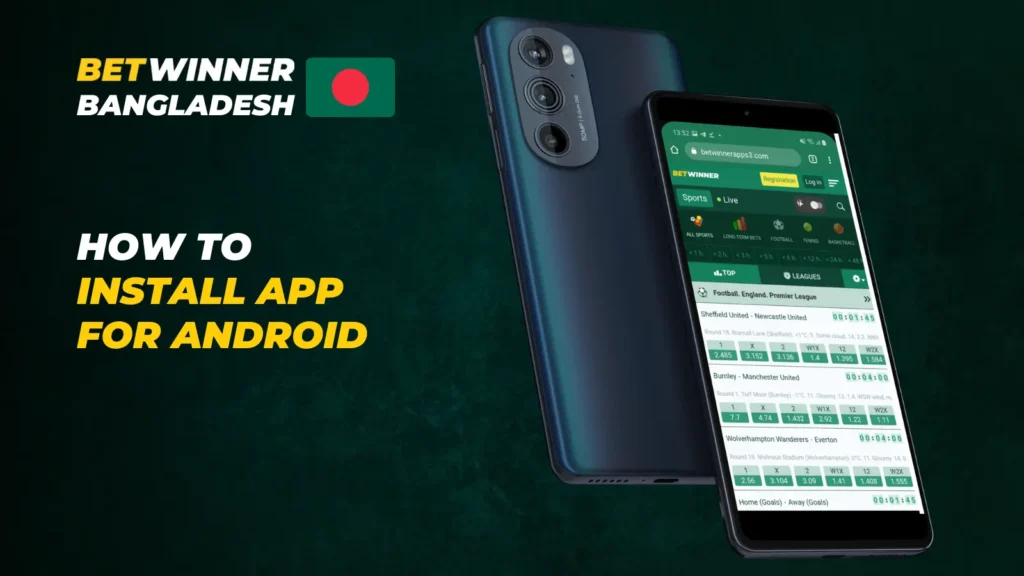
The Betwinner APK Bangladesh users install is distributed directly from the official Betwinner website, not through the Google Play Store. Google’s developer policies restrict gambling applications in most regions, which is why the APK must be obtained and installed manually. The process involves three stages: downloading the file, enabling installation from unknown sources, and running the installer.
Direct Download
Open the Betwinner website in your Android browser and scroll to the bottom of the homepage, or navigate to the dedicated mobile apps section. The Android download button links directly to the APK file. Tap it and confirm the download in the browser prompt. The file is approximately 40–60 MB and downloads to the device’s default Downloads folder.
If the main domain is inaccessible due to ISP restrictions, obtain a current mirror link from the official Betwinner Telegram channel. The APK available on mirrors is identical to the one on the main site and carries the same version number. Do not download APK files from third-party repositories or unofficial app stores, as these may contain modified code.
Allowing Unknown Sources
Android blocks installation of APK files from outside the Play Store by default. To install the Betwinner APK, you need to grant permission for the specific browser or file manager you are using. The exact steps vary slightly by Android version:
- Open Settings on your device.
- Go to Apps & Notifications (or App Management on some devices).
- Find the browser you used to download the file (e.g. Chrome).
- Tap Install Unknown Apps and toggle Allow from this source to On.
- Return to the Downloads folder and tap the APK file to begin installation.
On Android 7 and earlier, the setting is found under Settings > Security > Unknown Sources as a single global toggle. After installation is complete, the permission can be revoked to maintain device security — it is not required for the app to run.
Updating Safely
The app does not update automatically since it is not distributed through the Play Store. When a new version is available, the app typically displays an in-app notification with a direct download link. Tapping the link opens the browser and begins the APK download. Install the new file over the existing installation — this is an in-place update that preserves account data and settings.
Alternatively, check the official site periodically for the current APK version number. The version installed on your device is visible under the app’s About or Settings section. Running outdated versions may result in missing features, display issues with newer bet types, or compatibility problems with updated payment integrations.
How to Install Betwinner on iPhone
Betwinner mobile access on iPhone does not follow the same APK path used on Android. Apple’s App Store policies restrict gambling applications for most regional storefronts, including India and Bangladesh. As a result, Betwinner offers two methods for iOS users: a Progressive Web App (PWA) installed from the browser, and a native app available in specific regional App Store accounts.
PWA Installation (Recommended for Most Users)
The PWA method creates a shortcut on the iPhone home screen that behaves like a native app. Open Safari and navigate to the Betwinner website. Tap the Share button (the square with an upward arrow) at the bottom of the screen, then select Add to Home Screen. Name the shortcut and tap Add. The icon appears on your home screen and launches the site in full-screen mode without browser navigation bars.
The PWA version supports all core features: account login, sports betting, live casino, deposits, and withdrawals. Push notifications are not available through the PWA on iOS due to system-level restrictions on Safari web notifications. For notification support, a native app installation is required.
Native iOS App
A native Betwinner iOS app is available in certain regional App Store accounts. To access it, you need an Apple ID associated with an eligible region (such as the UK or another jurisdiction where the app is listed). Download the app using that Apple ID, then log in with your existing Betwinner account credentials. The native app supports push notifications and biometric login.
Creating a secondary Apple ID for a different region is a standard process and does not affect your primary Apple ID or existing purchases. Note that app updates must also be downloaded through the same regional account used for the initial installation.
First Launch & Login
After installation, open the Betwinner app. On the first launch, the app displays the main sportsbook interface — no additional setup or account creation step is required if you already have a registered account. Tap the Login button, which is located in the upper-right area of the screen.
Enter the phone number or email address associated with your account, followed by your password. If you registered via social network (Google, Telegram, or Facebook), use the corresponding social login button on the login screen. After successful authentication, the app lands on the main lobby with your account balance displayed.
On subsequent launches, the app may retain your session depending on your security settings. If 2FA is enabled, an SMS code will be required each time you log in from a new session. To enable biometric login on supported Android devices, go to Account Settings > Security after the first successful login and activate the fingerprint option.
Key Features Inside the App
The Betwinner app consolidates sports betting, live casino, crash games, and payment management into a single interface. The bottom navigation bar on Android provides direct access to the main sections: Sports, Live, Casino, and Account. Understanding what each section contains helps you navigate without unnecessary steps.
Pre-Match & Live Betting
The Sports section covers over 40 disciplines available for pre-match betting. Cricket, football, kabaddi, and tennis are the most heavily covered markets for Bangladeshi users. Each event listing shows the available market count — major cricket matches typically offer 200 or more markets, including innings totals, player performance bets, and method-of-dismissal options.
The Live section displays all in-progress events with real-time odds updates. Live statistics panels are available for cricket and football, showing ball-by-ball data and match timelines respectively. Odds in the live section update every few seconds; a brief highlight animation marks changed values. Bets placed during live events are confirmed faster than pre-match bets, typically within 2–4 seconds.
Aviator & Casino
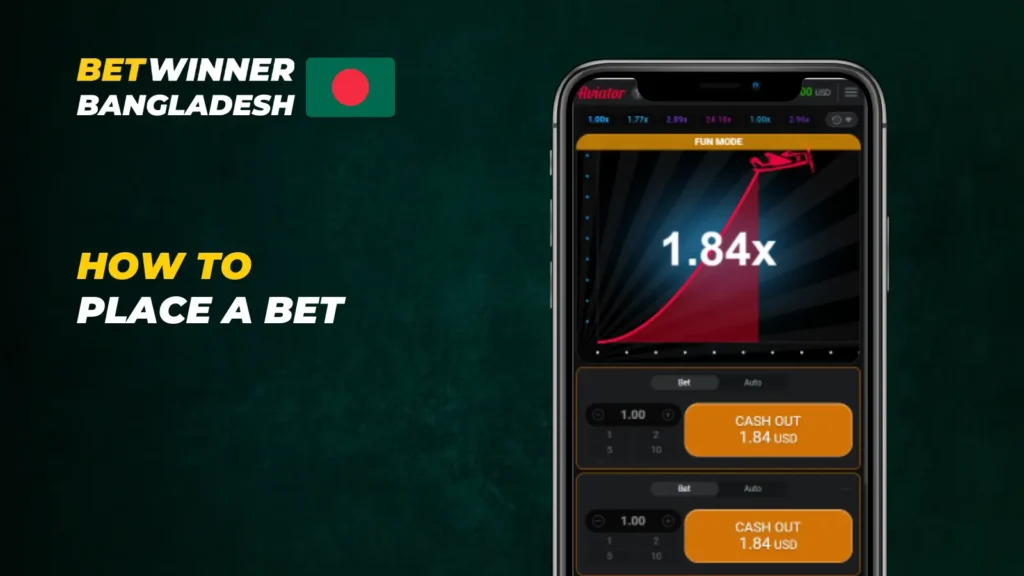
The Casino section includes slots, live dealer tables, and crash games. Aviator, developed by Spribe, is the most popular crash game on the platform and runs natively in the app without requiring a browser redirect. The game uses a provably fair RNG mechanism; the multiplier history for the last 100 rounds is visible on screen.
Live casino tables — roulette, baccarat, and blackjack — are streamed in real time from studios. The app handles the video stream with adaptive bitrate, reducing quality automatically on slower connections to maintain playback. Minimum bet amounts at live tables start from the equivalent of approximately 100 BDT.
Cash-Out & Bet Builder
Cash-out allows you to settle an open bet before the event concludes. The available cash-out amount is displayed in real time on the My Bets screen and fluctuates with the current odds. Full cash-out closes the bet entirely; partial cash-out is available on eligible events, allowing you to secure a portion of the return while leaving the remaining stake in play.
Bet Builder (also referred to as Same Game Multi on some markets) lets you combine multiple selections from a single event into one bet. Available combinations and the resulting odds are calculated in real time as you add selections. Not all markets within an event are combinable — the app prevents incompatible combinations from being added to the same slip.
bKash, Nagad & Rocket Deposits
Deposits via local mobile financial services are processed through the Cashier section of the app. Select the payment method — bKash, Nagad, or Rocket — enter the deposit amount, and follow the confirmation steps. The process typically involves sending a payment from your mobile wallet to the provided merchant number and entering the transaction ID in the app to confirm.
Minimum deposit amounts vary by method but are generally in the range of 200–500 BDT. Processing time for bKash and Nagad is typically instant to five minutes. Rocket transfers may take slightly longer depending on network load. All three methods are available for withdrawals as well, with minimum withdrawal thresholds starting from 500 BDT depending on the current operator settings.
How to Place Your First Bet in the App
Placing a bet in the Betwinner app follows a straightforward sequence that is consistent across all sports and bet types. The steps below apply to a standard single pre-match bet.
- Open the Sports section from the bottom navigation bar.
- Select a sport, then a league or competition from the list.
- Tap an event to open the full market view.
- Tap an odds value — this adds the selection to the bet slip and highlights it in blue.
- Tap the Bet Slip icon (bottom bar) to open the slip.
- Enter the stake amount in the input field. The potential return is calculated automatically.
- Tap Place Bet. A confirmation screen shows the bet reference number.
Placed bets are visible in the My Bets section under the Account tab. Active bets show the current cash-out value where the feature is available. Settled bets display the final result and payout amount.
Push Notifications, Bet Slip Sharing & Bonuses
The Betwinner app includes three secondary features that improve the overall experience for regular users: push notifications, bet slip sharing, and in-app bonus management.
Push notifications are enabled by default after installation. They cover match start alerts for events you have added to favourites, live odds movement on open bets, deposit confirmations, and promotional offers. Notification categories can be toggled individually in the app settings under Notifications, so you can receive only the alerts relevant to your usage.
Bet slip sharing generates a link or image of your current slip that can be sent via messaging apps. This is useful for comparing selections with other users or keeping a personal record. The share function is available on the bet slip screen before the bet is placed.
Active bonuses and their wagering progress are tracked in the Bonuses section under the Account tab. The section shows the remaining wagering requirement in real numbers (e.g. 4,200 BDT remaining out of 5,000 BDT total requirement), the expiry date, and eligible bet types. Bonus bets placed on ineligible markets do not count toward the wagering total.
Troubleshooting
Most problems with the Betwinner app fall into a small set of categories. The following covers the most frequent issues reported by users in Bangladesh and the steps to resolve them.
- APK installation blocked — confirm that Unknown Sources permission is granted for the browser or file manager you are using (see installation steps above). On Android 8 and higher, the permission is app-specific, not global.
- App not opening or crashing on launch — clear the app cache under Settings > Apps > Betwinner > Storage > Clear Cache. If the problem persists, uninstall and reinstall the latest APK version from the official site.
- Login error despite correct credentials — verify caps lock is off and that the correct login method is selected (phone vs email). If the account was created via social login, use the corresponding button rather than entering credentials manually.
- Live odds not updating — this is typically a network issue. Switch from mobile data to Wi-Fi or vice versa. In the app settings, check whether data-saving mode is enabled, as this can reduce update frequency for live odds.
- Deposit not credited — confirm the transaction ID was entered correctly in the app. bKash and Nagad deposits not reflected after 10 minutes should be reported to support with the transaction reference number from your mobile wallet.
- App domain blocked — if the app cannot connect after launch, the server address may have changed. Update to the latest APK version, which contains the updated domain configuration.
The Android APK is available directly from the official Betwinner site and takes under three minutes to download and install. iPhone users can add the platform to their home screen via Safari without any installation steps. All account features — deposits via bKash or Nagad, sports betting, live casino, and bonus tracking — are accessible from the app immediately after login.
FAQ
Yes, provided you download the APK exclusively from the official Betwinner website or a mirror link published through the official Telegram channel. The file does not contain malware or adware. Avoid third-party APK repositories, as modified versions of the app have been documented in the wild. The app transmits all data over 256-bit SSL encryption, the same standard used on the desktop site.